AI Assistant - Smart Keyboard1.2.3
Publisher Description

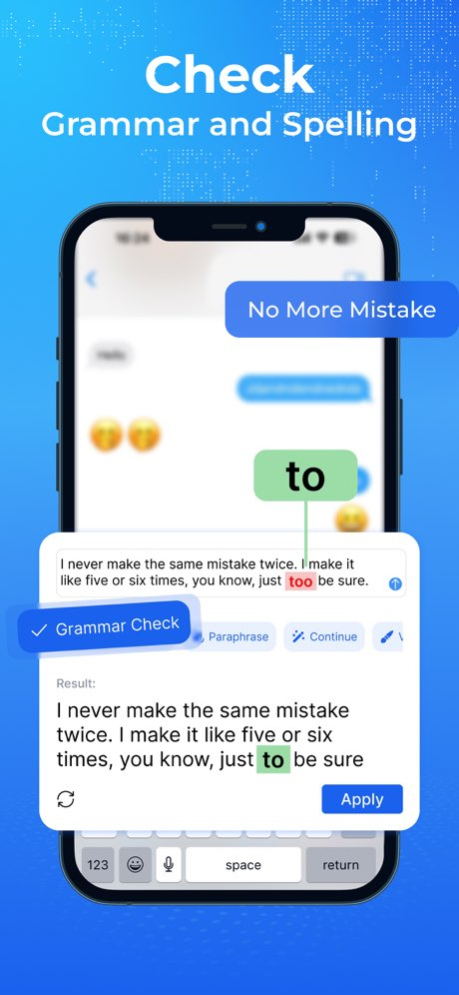


Introducing AI Keyboard, the ultimate writing assistant that can take your writing to the next level! Powered by the ChatGPT API, AI Keyboard is a smart keyboard extension app that works seamlessly on any platform or app on your phone.
AI Keyboard makes it easier for ai writing, get answer from ai, ai assistant & personal assisstant, grammar check, paragragraph writer, quick reply, versify, emojify and conversation translator.
KEY FEATURES
Grammar & spelling check: AI Keyboard can check grammar of your text writing. Spell check your writing, ask AI to provide correct solutions.
Paraphrase: AI Keyboard can paraphrase your text, ask AI and use as ai writing assistant for proofreading and get correct solutions
Continue: AI Keyboard can continue your texts based on the context you provide, making writing much faster and complete your messages.
Versify: AI assistant will transforms your text into beautiful verses and rhymes
Emojify: For a touch of fun, AI Keyboard assistant turns your words into expressive emojis, adding a dash of personality to your messages
Translator: AI Keyboard will translate your texts in real-time, support in 15 languages!
Write: AI chat assistant supports you to write conversations according to your requirements, or gives suggestions that you can choose from.
Reply: Compose messages, emails, and replies with ease. Our AI-powered writing suggestions offer intelligent word predictions, saving you time and effort while crafting your responses.
PREMIUM SUBSCRIPTION
. Payment will be charged to iTunes Account at confirmation of purchase
. Subscription automatically renews unless auto-renew is turned off at least 24-hours before the end of the period.
. If you want to continue the service, your subscription should be continued.
. Payment will be charged to iTunes Account at confirmation of purchase
. Subscription automatically renews unless auto-renew is turned off at least 24-hours before the end of the current period
. The account will be charged for renewal within 24-hours prior to the end of the current period.
. There are 3 packages including: 1 week, 1 year and lifetime with the weekly package allowing a 3-day trial period. Once it expires, your subscription will automatically renew.
The following subscription plans are available (price may vary depending on location):
. 1-week subscription with a 3-day trial version - US$ 2.99
. 1-month subscription - US$ 5.99
. 1-year subscription with a 3-day trial version - US$ 19.99
You can cancel your subscription via this URL:
https://support.apple.com/en-us/HT202039
Privacy Policy: https://cemsoftwareltd.com/privacyPolicy.html
Terms of Use: https://cemsoftwareltd.com/term.html
Support: https://cemsoftwareltd.com/contact.html
Version History - Bug fixes and application optimization 1.2.3 10/09/2023 - Bug fixes and app optimization 1.2.2 09/15/2023 - Fix bug themes
- Bug fixes and app optimization 1.2.1 09/09/2023 - Add new features: Text art, Template text 1.2 08/24/2023 - Bug fixes and app optimization 1.1 08/21/2023 1.0 08/19/2023
About AI Assistant - Smart Keyboard
The company that develops AI Assistant - Smart Keyboard is CEM SOFTWARE COMPANY LIMITED. The latest version released by its developer is 1.2.3.
To install AI Assistant - Smart Keyboard on your iOS device, just click the green Continue To App button above to start the installation process. The app is listed on our website since 2026-10-13 and was downloaded 3 times. We have already checked if the download link is safe, however for your own protection we recommend that you scan the downloaded app with your antivirus. Your antivirus may detect the AI Assistant - Smart Keyboard as malware if the download link is broken.
How to install AI Assistant - Smart Keyboard on your iOS device:
- Click on the Continue To App button on our website. This will redirect you to the App Store.
- Once the AI Assistant - Smart Keyboard is shown in the iTunes listing of your iOS device, you can start its download and installation. Tap on the GET button to the right of the app to start downloading it.
- If you are not logged-in the iOS appstore app, you'll be prompted for your your Apple ID and/or password.
- After AI Assistant - Smart Keyboard is downloaded, you'll see an INSTALL button to the right. Tap on it to start the actual installation of the iOS app.
- Once installation is finished you can tap on the OPEN button to start it. Its icon will also be added to your device home screen.
Program Details
System requirements
Download information
Pricing
Version History
version 1.2.3
posted on 2026-10-13
Version History - Bug fixes and application optimization 1.2.3 10/09/2023 - Bug fixes and app optimization 1.2.2 09/15/2023 - Fix bug themes
- Bug fixes and app optimization 1.2.1 09/09/2023 - Add new features: Text art, Template text 1.2 08/24/2023 - Bug fixes and app optimization 1.1 08/21/2023 1.0 08/19/2023
version 1.2.3
posted on 2023-10-09
- Bug fixes and application optimization
version 1.2.3
posted on 2023-10-09
Oct 9, 2023
Version 1.2.3
- Bug fixes and application optimization
